Photo filters: film, old cameras, glitch and more
136 looks, each previewed on your own picture. Stack them, set each one's strength and adjust it. It all happens on your device.
Drop a photo to add a filter, or click to choose
JPG, PNG or WebP. It stays on your device.
How it works
- Choose a photo. It opens on your device with every look shown as a small preview of your own picture.
- Tap looks to stack them. Each one you tap is laid over the last, up to four. Under Applied looks, set each one’s strength, open Adjust for its grain, dark corners, fade, glow or date stamp, and move or remove it. Tap a look again to take it off.
- Download. The look is baked into the saved file. Crop, add text or adjust the light in the same place first if you like.
Trend looks
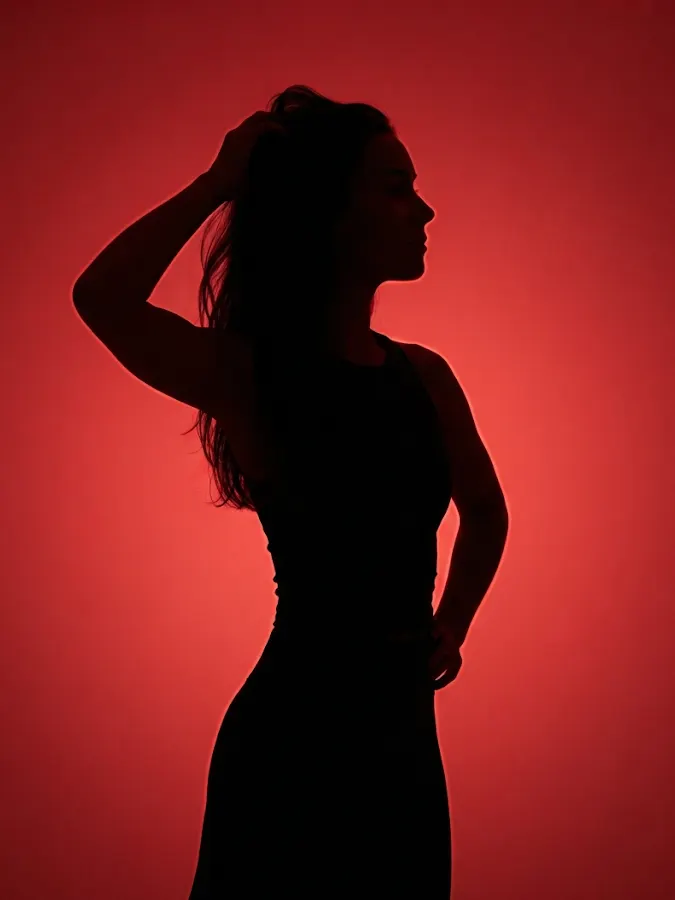
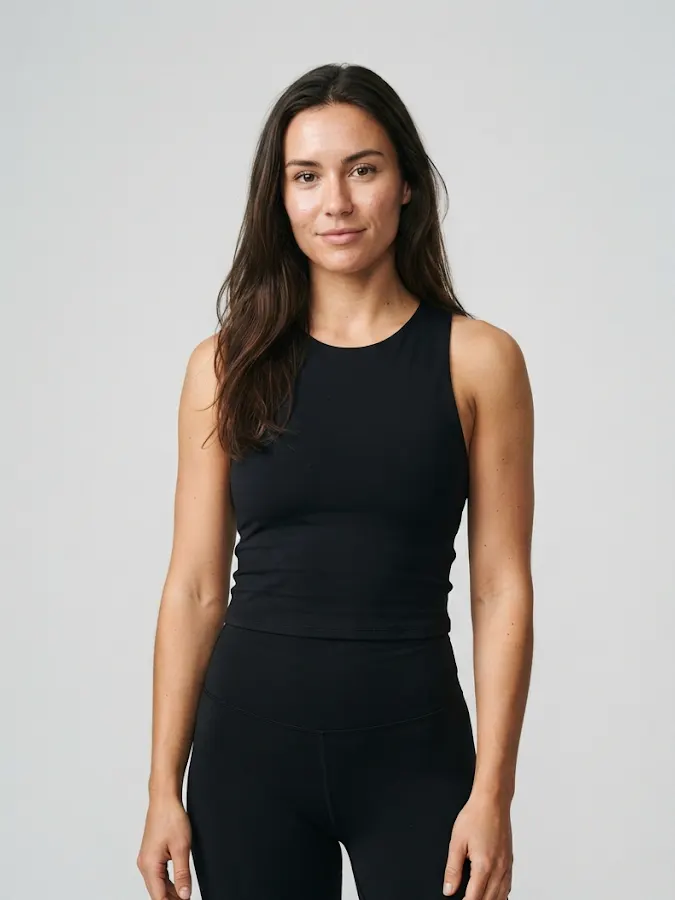
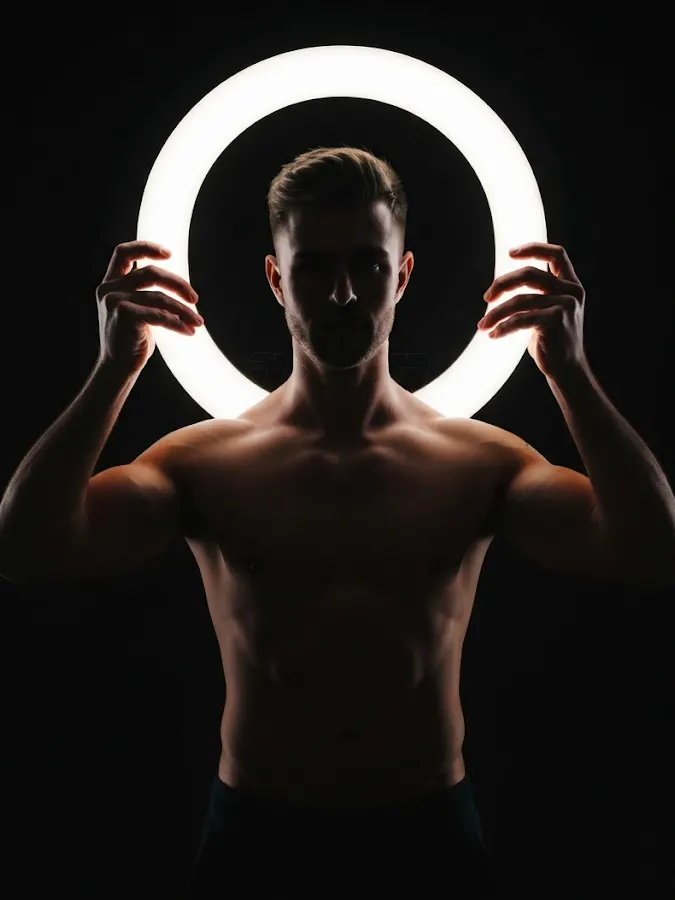
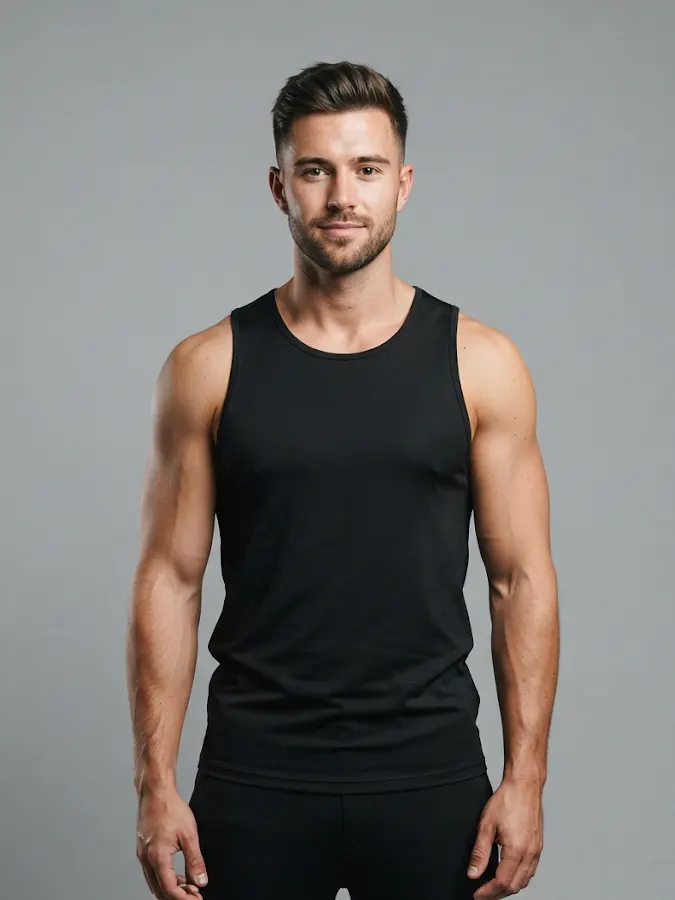
The red silhouette and ring light from Reels and TikTok, plus over 100 more looks: film, old cameras, seasons, sketch and paint. Try them on your own photo; it stays on your device.
Every look
Trends
- Red silhouette
- The person becomes a solid black shape with a red rim against glowing red, the silhouette-video look. Finding the person happens on your device. The original is not kept in the file.
- Backlight glow
- Warm light from behind traces a glowing rim round the person, with a dimmed background and a soft halo behind the head.
- 2016
- The warm, pink, extra-bright selfie filter of 2016: rich colour, soft blacks and glowing skin.
- Digicam flash
- A pocket camera's hard flash: bright, flat skin, a background falling into the dark, a cool cast, noise and a date stamp.
- Red light
- A red light on the face in a dark room: deep blacks and everything in shades of red.
- Sunset pop
- Purple shadows and peach highlights with bright colour, like the sunset filter meme.
- Pink and green
- Two colours only: deep green shadows and bright pink highlights.
- Icy blue
- Cold glacier blues with soft, lifted blacks.
- Library sepia
- Moody brown and parchment tones for a bookish, old-library feel.
- Holo glitch
- Mint and violet with a colour split and scan lines.
- Lime cover
- Washed-out photo under flat acid green, the album-cover meme look.
Seasons
- Snowfall
- Falling snow in a cool, bright winter light, with near flakes soft and out of focus.
- Rainfall
- Slanting rain with splashes and low mist, in a dark, wet light.
- Fog
- The background fades into soft mist with distance, and the person stays clear.
- Falling leaves
- Autumn leaves drifting down, in a warm golden light.
- Cherry blossom
- Pink blossom petals floating past, in soft spring light.
- Sun flare
- A low summer sun in the open sky, with warm light and lens flare.
- Fireworks
- Fireworks bursting in a night sky behind the person.
- Christmas glow
- A warm, soft holiday glow with the background blurred into round fairy lights. Offered from 1 November to 6 January.
Made for
- Bold black and white
- Deep blacks, bright whites and crisp texture, for strong portraits and street shots.
- Soft black and white
- Gentle grey tones with soft contrast, for calm, quiet photos.
- Food
- Warm, rich colour and crisp texture, with shadows opened up so dishes look fresh.
- Nature
- Deeper greens, more texture and gentle contrast for plants and forests.
- Sky
- Bluer skies with the bright clouds held back so they keep their detail.
- Sunset
- Warmer, richer oranges and pinks, with the bright sky kept from washing out.
- Beach
- Bright, airy and turquoise, like a sunny day by the sea.
- Snow
- Clean whites with a cool tint and the brightest areas kept from going blank.
- Rainy day
- Cool, muted and moody, with soft haze and texture in the wet streets.
- Night city
- Deeper night shadows with glowing lights and crisp edges.
- Portrait glow
- Soft, flattering light on skin with warm tones and opened shadows.
- Kids and baby
- Soft, bright and pastel, gentle on skin.
- Pets
- Warm tones and extra texture that bring out fur and eyes.
- Concert
- Punchy contrast, glowing stage lights and grain.
- Flowers
- Richer petal colour with fine detail and soft greens behind.
- Autumn
- Oranges, reds and golds warmed up, greens toned down.
- Landscape
- More depth and texture with the sky and shadows balanced.
- Product
- Bright, clean and sharp, with a neutral white background.
- Miniature
- A sharp band across the middle and blur above and below, so real scenes look like a model.
- Speed
- A sideways motion blur for cars, bikes and sport.
Person
- Colour splash
- The person stays in colour and everything behind them turns black and white. Without a person, the middle of the photo keeps its colour.
- Spotlight
- The person is lit and the room falls dark round a soft pool of light. Without a person, the light falls on the middle of the photo.
- Neon outline
- A glowing pink line traced round the person on a darkened photo. Without a person, the line follows the strongest edges.
- Blue neon outline
- A glowing ice-blue line traced round the person on a darkened photo. Without a person, the line follows the strongest edges.
- Background fade
- The background goes soft and pale while the person gets a little crisper and richer, so they stand out. Without a person, the middle of the photo stands out.
- Blue silhouette
- The person becomes a dark shape lit from behind in cold blue, with a blue rim of light. Without a person, it darkens by brightness instead.
- Sunset silhouette
- The person becomes a dark shape against a glowing orange sunset, with a warm rim of light. Without a person, it darkens by brightness instead.
Film
- Warm film 400
- Soft contrast, warm skin and gentle grain, like portrait colour film.
- Gold film 200
- Golden, nostalgic colour with punchy yellows and a fine grain.
- Vivid film 100
- Saturated, contrasty slide-film colour with deep blues and reds.
- Green film 400
- Cool greens and cyan shadows, a classic everyday consumer film.
- Night film 800
- Tungsten-balanced cinema film: cool, blue-leaning colour and red halos around lights.
- Mono film 400
- Black and white with rich contrast and visible grain.
- Faded print
- Lifted blacks and washed-out, reddish colour, like a print left in the sun.
- Cross process
- Yellow highlights, blue-green shadows and harsh contrast.
- Lomo
- Saturated colour, deep contrast and heavy dark corners from a toy camera.
- Pink and blue film
- Soft pink highlights over blue shadows, a popular film-style preset.
- Warm fade
- Warm, faded film with soft brown blacks.
- Cool fade
- Cool, muted colour with faded teal shadows.
- Rich slide 64
- Deep reds, dense shadows and warm, contrasty colour, like vintage slide film.
- Infrared colour
- False-colour infrared film: leaves and grass turn red while skies stay blue.
- Infrared black and white
- Black and white as infrared film sees it: glowing white leaves, dark skies and a soft halo.
- Redscale
- Film shot through its back: everything turns red, orange and amber.
- Expired film
- Out-of-date film: shifted magenta and green colour, lifted shadows and heavy grain.
- Seventies print
- A yellowed family snapshot from the 1970s: amber cast, soft contrast and faded blues.
- Cross process blue
- Negative film developed as slides: pale, low-contrast colour with a cyan-blue cast.
Old cameras
- 2000s digicam
- A pocket digital camera from the 2000s: bright flash, cool cast, noise and a date stamp.
- Disposable
- Warm, grainy and flash-lit, with a light leak and an orange date.
- Instant photo
- Low contrast, cyan shadows and warm highlights. Add the instant frame for the full look.
- Camcorder
- Home-video tape: soft colour bleed, scan lines and a PLAY stamp.
- Night vision
- Green phosphor glow, noise and dark edges.
- Thermal
- A heat-camera palette: dark areas cold blue, bright areas hot yellow and white.
- Toy camera
- A plastic-lens camera: soft focus, deep dark corners, rich colour and a light leak.
- Wet plate
- A Victorian plate photo: blue-sensitive black and white, so reds go dark, with warm toning and dark edges.
Classic
- Bright pop
- More contrast and colour with a hint of cool blue: the most-used classic filter style.
- Airy
- Brighter and softer, with lifted shadows and calm colour.
- Rose vintage
- Warm, slightly faded colour with a rosy cast.
- Burnt edges
- Warm centre, high contrast and blue-tinted dark corners.
- Peach fade
- Peachy highlights, blue shadows and soft contrast.
- Lavender
- Gentle, washed light with a soft lilac tint.
- Lifted blue
- Bright and slightly flat, with cool shadows and plum corners.
- Lo-fi
- Strong contrast, rich colour and dark edges.
- Early sun
- Sepia warmth, lower contrast and maroon-tinted edges.
- Ink
- Clean black and white with a little extra contrast.
- Soft grunge
- Faded purple shadows, dusty pink highlights and grain, like a 2014 blog photo.
- Sepia print
- Black and white toned a rich brown with cream highlights, like an old darkroom print.
- Selenium toned
- Black and white with cool purple-brown shadows and neutral highlights, like a toned fine-art print.
- Red-filter black and white
- Black and white as if shot through a red filter: dark, dramatic skies, bright skin and clouds that stand out.
- High-key black and white
- Bright, airy black and white with soft greys and clean whites.
Mood
- Dreamy glow
- Highlights bloom softly and contrast relaxes, like a mist filter on the lens.
- Moody
- Darker, muted and cool, with deep shadows.
- Golden hour
- Warm, glowing light as if the sun were low.
- Matte
- Flat, lifted blacks and soft highlights for a calm, editorial feel.
- Sun faded
- Bleached colour with warm, creamy highlights.
- Cold blue
- A winter cast: cool blues and a slightly flat contrast.
- Quiet luxury
- Creamy highlights, soft contrast and calm, expensive-looking colour.
- Purple party
- Deep violet shadows, hot pink highlights and a glow, like a neon party scene.
- Pink and emerald
- Emerald shadows and rosy highlights.
- Gold glam
- Rich contrast, warm gold highlights and dark edges.
- Italian summer
- Warm, sunny and saturated, with peachy highlights.
- Pink doll
- Everything pinker and brighter, with candy highlights.
- Neon night
- Pink and blue city-light colour with a glow on bright signs.
Cinema
- Cinematic
- Teal shadows and orange skin tones, the classic film-poster grade.
- Office cold
- Cold, sterile blue-green with muted colour, like a corporate thriller.
- Storybook pastel
- Symmetry-film pastels: soft contrast, warm creams and gentle colour.
- Code green
- Green-tinted, high-contrast and muted, like a hacker film.
- Neon city
- Deep blue shadows and hot pink highlights with a glow on lights.
- Teal and magenta
- Teal shadows and magenta highlights with punchy contrast.
- Bleach bypass
- Silvery, low-colour and high-contrast, as if the silver were left in the film.
- Day for night
- Daylight graded to pass for moonlit night: dark, blue and low in colour.
- Two-strip colour
- Early film colour from only two dyes: reds and oranges against cyan-green, with no true blue or yellow.
Colour pop
- Red only
- Everything grey except the reds, which stay bright.
- Green only
- Everything grey except the greens.
- Blue only
- Everything grey except the blues.
- Yellow only
- Everything grey except the yellows.
- Pink only
- Everything grey except pinks and magentas.
Graphic
- Halftone
- Printed newspaper dots: darker areas get bigger dots.
- Duotone
- Two inks only: deep blue shadows and pink highlights.
- Risograph
- Two-colour print with misregistered layers and paper grain.
- Pop poster
- Flat colour areas with bold saturation, like a screen print.
- 1-bit dither
- Only black and white pixels, shaded with a dither pattern.
- Handheld 4-green
- Four shades of green, dithered like an early handheld game screen.
- Pixel art
- Big square pixels and a reduced palette.
- Glitch
- Red and blue split apart, with scan lines.
- Invert
- Every colour flipped to its opposite, like a negative.
- Solarize
- Highlights turn dark again: a darkroom accident turned into an art effect.
- Cyanotype
- Prussian blue and white, like a sun print or a blueprint.
- X-ray
- Inverted and blue-grey, like a scan on a light box.
- Retro wave
- Purple, pink and cyan with scan lines, the retro-computer look.
- Sunset gradient
- Purple shadows through pink to orange highlights, as a gradient map.
- Navy and mint
- Two inks only: navy shadows and mint highlights.
Art
- Pencil sketch
- Graphite lines and hatched shading on paper, drawn from the photo's own edges and shadows.
- Colour pencil
- A pencil drawing shaded in with the photo's own colours.
- Charcoal
- Smudged charcoal tone and heavy lines on rough paper.
- Ink drawing
- Solid black pen lines and fills on white paper.
- Watercolour
- Soft washes that run into each other, darker where the paint pooled, on textured paper.
- Oil paint
- Brush strokes that follow the shapes, in raised paint on a canvas weave.
- Cartoon
- Flat colours in a few tones with bold dark outlines.
The names describe each look. They are not camera, film or app brands, and the looks are made from tone curves, colour, grain, light, drawing and painting effects, not copied from any product.
How the looks are made
Each look is a short recipe of ordinary image steps: tone curves, separate shadow and highlight recovery, colour shifts in the shadows and highlights, clarity and sharpening for texture, soft focus, a miniature (tilt-shift) or motion blur, a glow around bright areas, grain and dark corners, and for the graphic looks, printed dots, a limited palette or big pixels. The Art looks draw or paint the photo over with pencil lines, ink, washes or brush strokes, and the Seasons looks add falling snow, rain, leaves, petals or fireworks. The old-camera looks also print the date in the corner the way those cameras did, using the day you chose the look. Every look can be adjusted: shadows, highlights, soft focus, grain, dark corners, fade and more.
No AI redraws your picture: the looks change its colour, light and texture, and the Art looks redraw it with ordinary drawing and painting steps, so nothing is invented. The silhouettes, the trend looks that light the person (backlight glow, digicam flash, red light), the Seasons looks and the Person looks (colour splash, spotlight, neon outline, background fade) need to know where the person is. The first time you choose one, your browser downloads a person-detection model from this site, and finds the person on your device. If it finds no one, the silhouettes darken by brightness, the outline follows the strongest edges, and the others treat the middle of the photo as the subject.
The credit line
On this page a small “Made with t.myu” mark, our logo, is added to the bottom corner of the saved picture, so people who like the look can find it. Switch it off under Credit before you download and the file has no mark at all.
Your photo stays with you
The looks are worked out in your browser, so the photo is never uploaded. The red silhouette look in particular keeps only the filtered picture in the file you save: the original colours are not hidden inside it and cannot be recovered from it. Saving also drops most hidden metadata, such as the GPS location your phone may have recorded.
Related tools
- Photo editor: Crop, adjust, filter, add text, emoji, blur and frames, with undo.
- Crop image: Crop to a ratio, a circle, or a freeform box.
- Add text to photo: Type a caption, drag it into place, pick a font, colour and outline.
Guides
- How to add a film or vintage filter to a photo online
- How to add a ring light effect to a photo for an Instagram reel cover
- How to add falling snow, rain or fireworks to a photo
- How to do the red silhouette photo trend for TikTok and Instagram
- How to turn a photo into a pencil sketch, watercolour or cartoon
- How to add lipstick to a photo